pyku.features#
Functions for dealing with features (polygons, points).
- pyku.features.polygonize(dat, area_def=None, mask_value=None, dtype='Polygons', **kwargs)[source]#
Polygonize raster data.
- Parameters:
dat (
xarray.Dataset) – The input data. If the file contains more than one timestep or variable, only the first timestep of the first georeferenced data variable is polygonized.area_def (
pyresample.geometry.AreaDefinitionor str) – Deprecated. The projection informations are now read directly from the dataset georeferencing.mask_value (number, optional) – By default, all data values that are not None are polygonized. If the input data uses a specific value (e.g., 999) to represent missing data, you can specify mask_value to exclude these values from the polygonization process.
dtype (str, optional) –
Determines the geometry type of the output polygons.
"Polygons": Returns individual polygons for each contiguous region."MultiPolygon": Combines multiple polygons into a single MultiPolygon object, which is useful for creating masks with holes.
For example, to build a mask with holes or a single geometrical representation of disjoint regions, use
"MultiPolygon". Otherwise, selecting"Polygons"will generate separate polygon objects for each region.
- Returns:
A GeoDataFrame containing the geo-referenced polygon(s).
- Return type:
Example
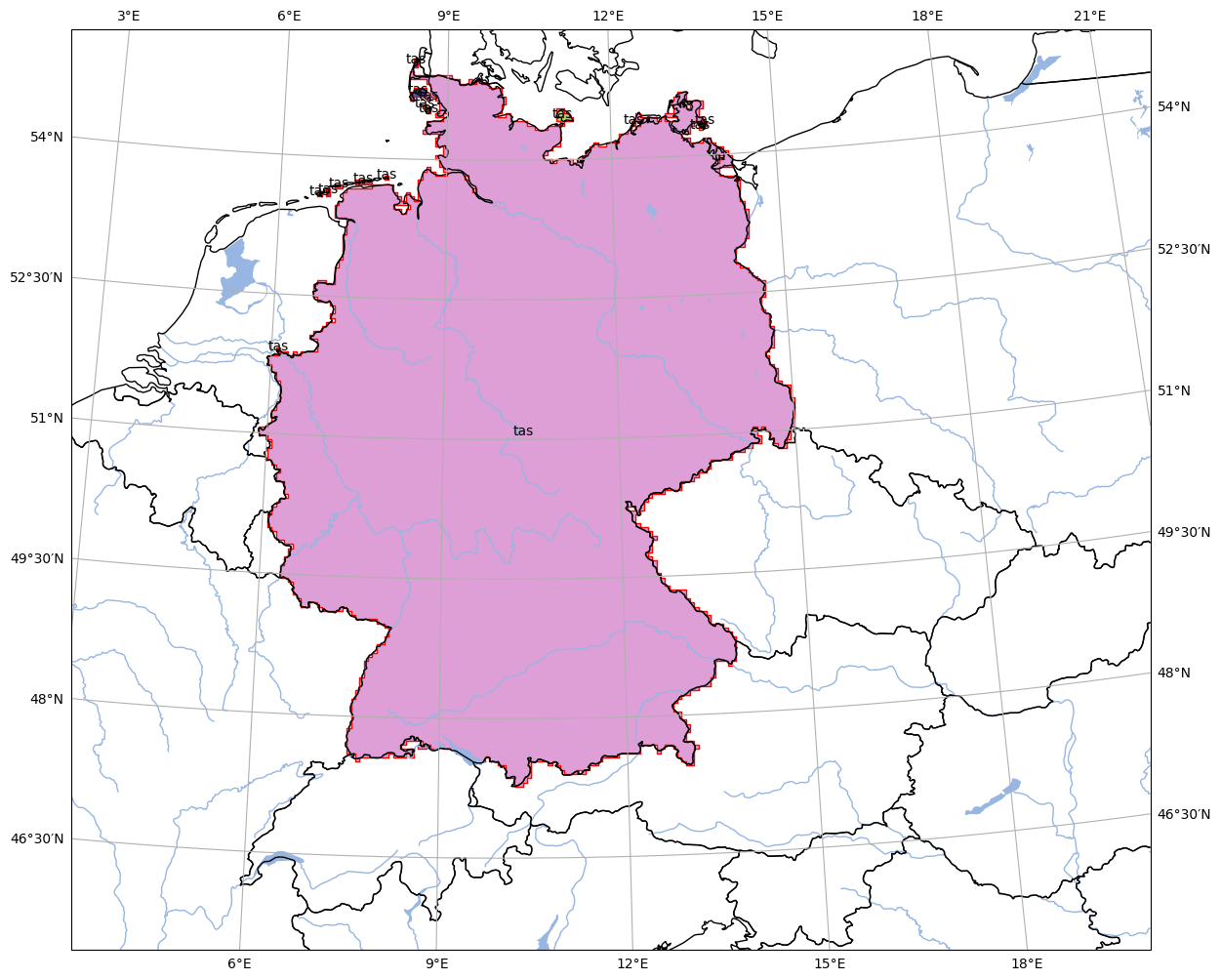
In [1]: import pyku
   ...: ds = pyku.resources.get_test_data('hyras')
   ...: gdf = ds.pyku.polygonize()
   ...: pyku.analyse.regions(gdf, area_def='HYR-LAEA-5')
   ...:
- pyku.features.rasterize_points(features, area_def, reference_datetime=None)[source]#
Rasterize points.
- Parameters:
features (
geopandas.GeoDataFrame) – Features.area_def (
pyresample.geometry.AreaDefinition) – Area definition.
- Returns:
Dataset with features burnt in.
- Return type:
- pyku.features.rasterize_polygons(features, area_def, all_touched=False)[source]#
Rasterize polygons
- Parameters:
features (
geopandas.DataFrame) – The input polygons.area_def (
pyresample.AreaDefinitionor str) – The target projection. This can be provided either as apyresample.geometry.AreaDefinitionobject or as a string representing a named projection (e.g., “HYR-LAEA-5”). Named projections are predefined in the pyku library and fully defined in the default projection configuration file.all_touched (boolean) – Optional. If True, all pixels touched by geometries will be burned in. If false, only pixels whose center is within the polygon or that are selected by Bresenham line algorithm will be burned in.
- Returns:
Raster with burnt in features.
- Return type:
Example
In [1]: %%time
   ...: import pyku
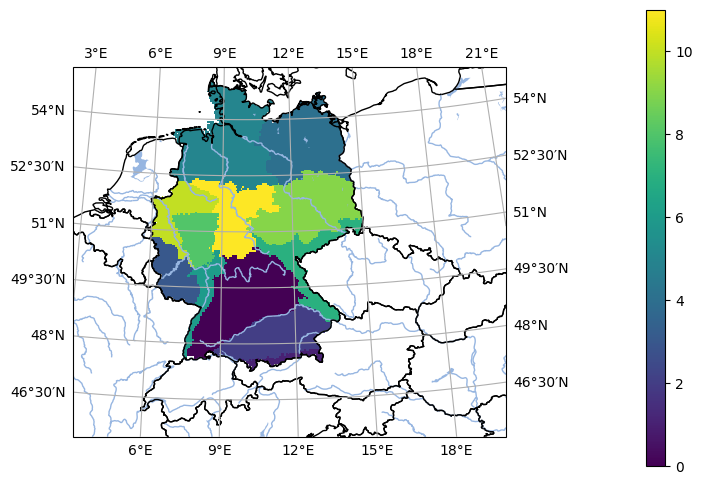
   ...: gdf = pyku.resources.get_geodataframe(
   ...:     'natural_areas_of_germany'
   ...: )
   ...: ds = pyku.features.rasterize_polygons(gdf, 'HYR-LAEA-5')
   ...: pyku.analyse.one_map(ds, var='regions', crs='HYR-LAEA-5')
   ...:
CPU times: user 261 ms, sys: 121 ms, total: 382 ms
Wall time: 384 ms
- pyku.features.regionalize(ds, gdf=None, area_def=None, **kwargs)[source]#
Group data into the regions given in the GeoDataFrame
- Parameters:
ds (
xarray.Dataset) – The input dataset.gdf (
geopandas.GeoDataFrame) – The regions.area_def (
pyresample.geometry.AreaDefinition, str) – Optional. The area defintion of the Dataset can be explicitely passed if not, it is read from the dataset.
- Returns:
Regionalized dataset with regions along the new ‘region’ dimension. for example, if the dataset had the dimension (time x lat x lon), the new dataset has the dimensions (region x time x lat x lon)
- Return type:
Example
In [1]: %%time
   ...: import pyku
   ...:
   ...: ds = pyku.resources.get_test_data('hyras')
   ...: gdf = pyku.resources.get_geodataframe(
   ...:     'natural_areas_of_germany'
   ...: )
   ...:
   ...: regionalized = ds.pyku.regionalize(gdf)
   ...:
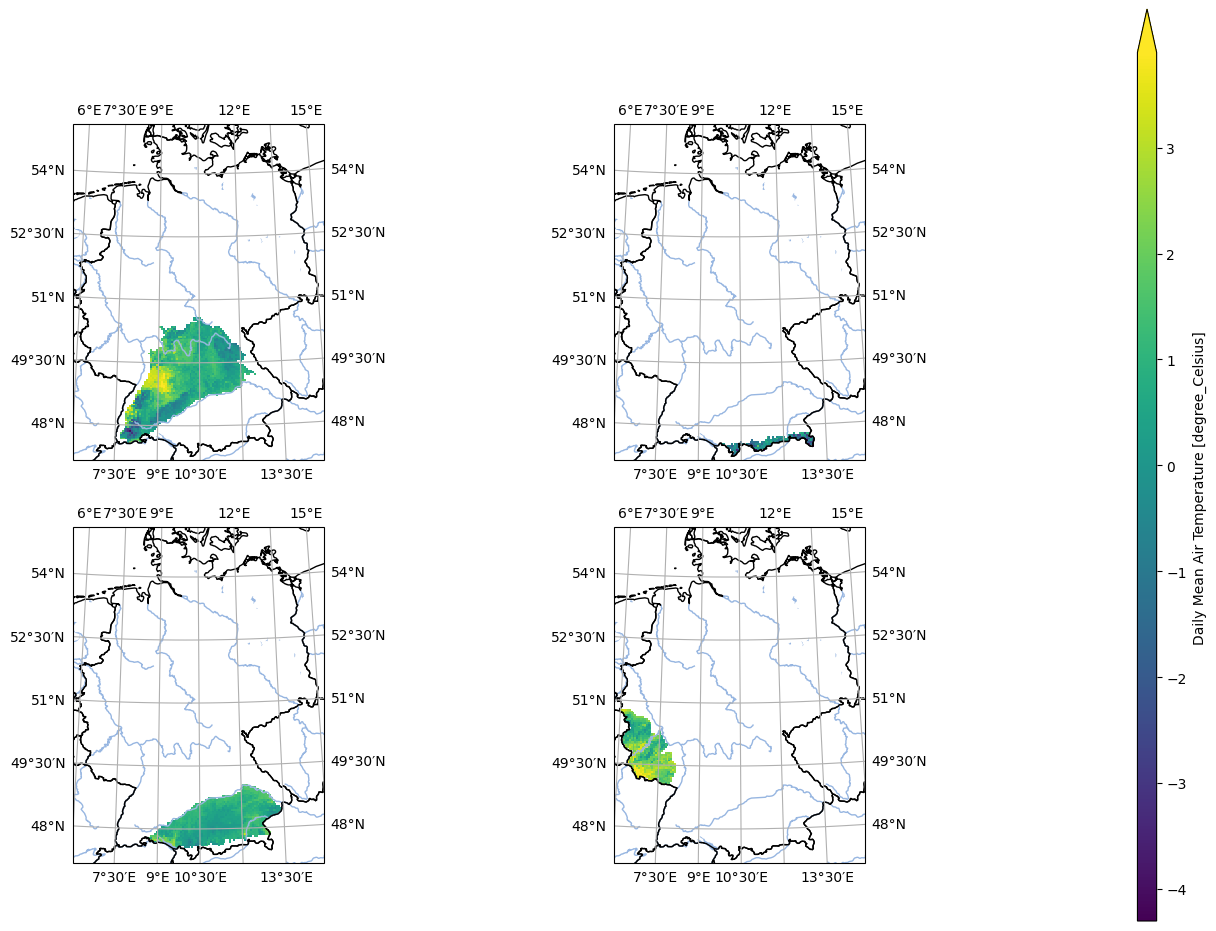
   ...: pyku.analyse.n_maps(
   ...:     regionalized.isel(time=0).isel(region=0),
   ...:     regionalized.isel(time=0).isel(region=1),
   ...:     regionalized.isel(time=0).isel(region=2),
   ...:     regionalized.isel(time=0).isel(region=3),
   ...:     nrows=2,
   ...:     ncols=2,
   ...:     crs='HYR-LAEA-5',
   ...:     var='tas'
   ...: )
   ...:
CPU times: user 929 ms, sys: 259 ms, total: 1.19 s
Wall time: 1.18 s